
Get instant guidance on
How to view your policy details
How to make changes to your policy
- Update beneficiaries
- Update mobile phone number / email address / residential & correspondence address
- Update insurance statement preference
- Switch investment choices for Investment-linked assurance scheme plans
- Change of premium allocation
- Policy value withdrawal
- Update payment instructions
- Manage payout options
Access your policy details on the HSBC HK App
View details of your policy anytime including policy value, coverage, beneficiaries, projected policy values, and more.
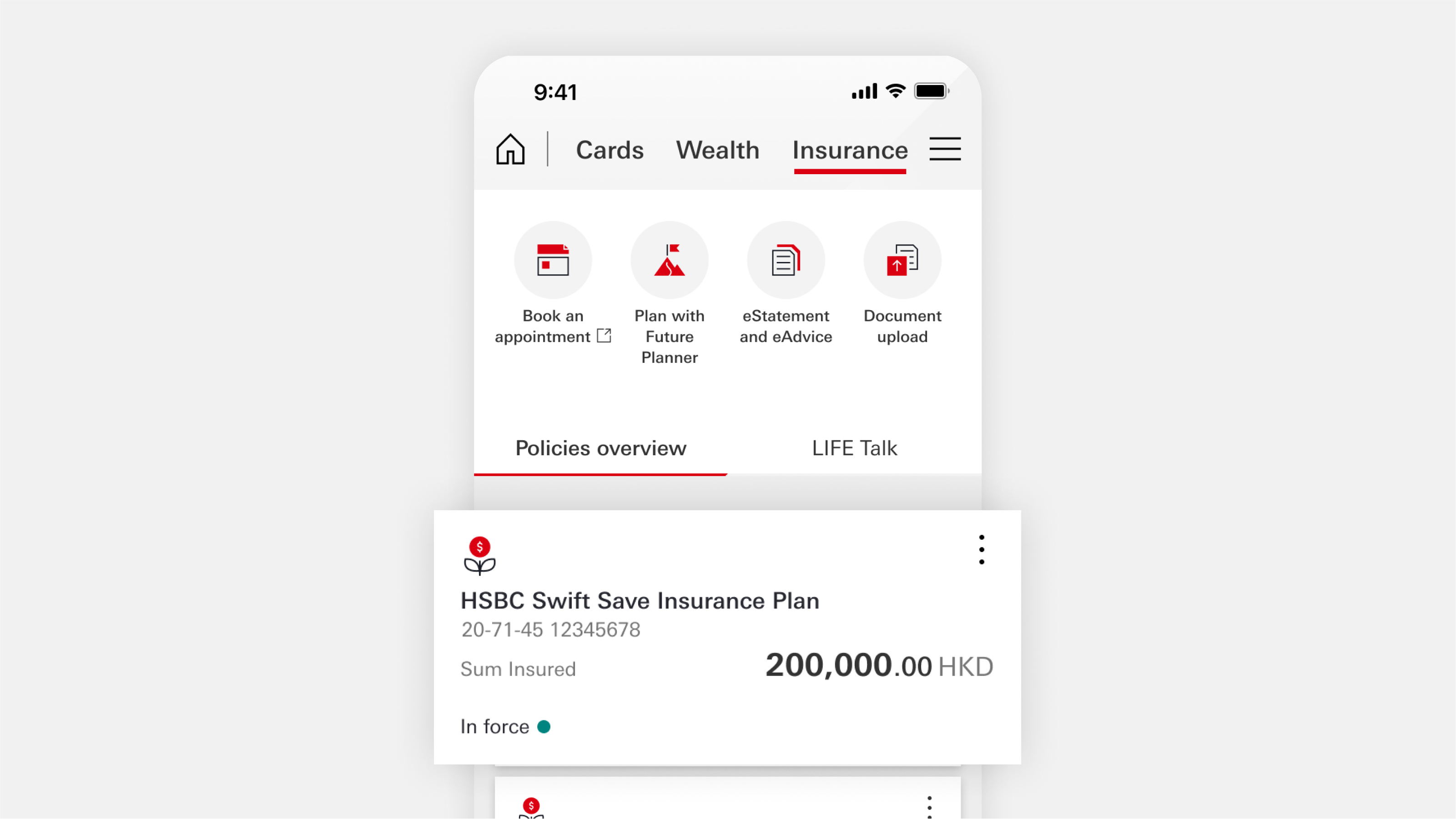


View eStatements, instruction history, and 'My medical card'
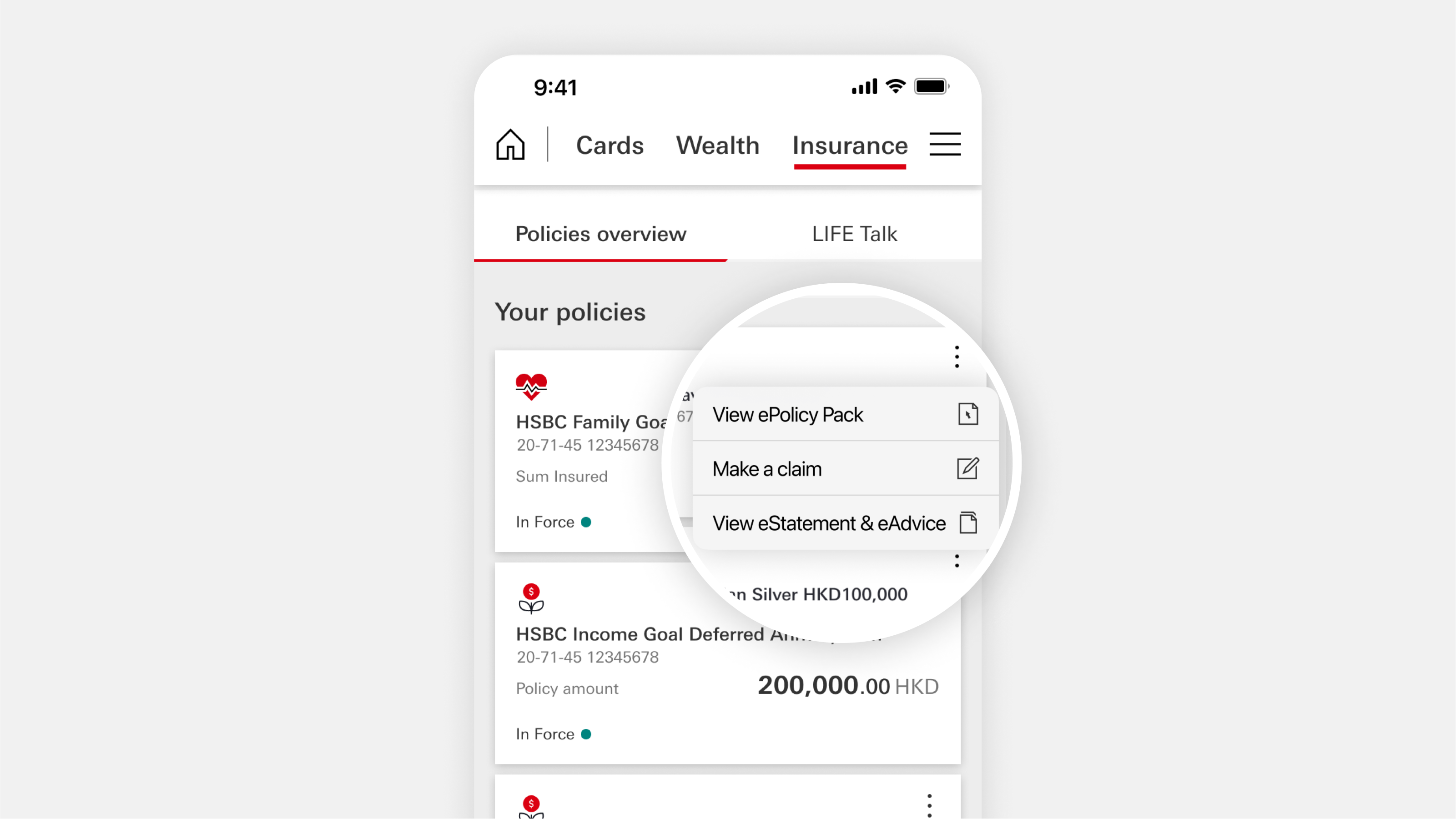
See and download eStatements |
Log on to the HSBC HK App. Choose 'Insurance' from the menu at the top.
Next, select 'eStatements and eAdvice'. Or tap the three-dot icon '⋯' on the policy card. And you'll see its eStatement and eAdvice.

View instruction history

View 'My medical card' (for VHIS policies only)
How to make changes to your policy via HSBC HK App
You can update the details of your policy anytime via the HSBC HK App, including your contact details, beneficiaries, payment instructions, and investment choices.
Update beneficiaries

- Log on to the HSBC HK App
- On the home page, select 'Insurance', then your policy
- Select 'More', then under 'All services', choose 'Update beneficiary’
- Follow the on-screen instructions to complete the update
You can also manage your payout options by following the steps in How to Add Beneficiary Details (PDF).
Update your contact details

- Log on to the HSBC HK App
- On the home page, select 'Insurance', then your policy
- Select 'More', then under 'All services', choose 'Update your personal contact details’ to update your mobile number, email address and different addresses
- Follow the on-screen instructions to complete the update
If you want to change your correspondence address for a particular policy, or to change a correspondence address in traditional or simplified Chinese, you can fill in a form. Look for the ‘Change of customer information’ form on our insurance forms and documents page.
Next, download and complete the form, then submit it by following these steps:
- Log on to HSBC Online Banking or the HSBC HK App
- Go to ‘Insurance’ and select ‘Document upload’
Update insurance statement preference

- Log on to the HSBC HK App
- On the home page, select 'Insurance', then your policy
- Select 'More', then under 'All services', choose 'Update insurance statement and advice preference’
- Follow the on-screen instructions to complete the update
Switch for Investment-linked assurance scheme plans

- Log on to the HSBC HK App
- On the home page, select 'Insurance', then your policy
- Select 'More', then under 'All services', choose 'Switch investment choices'
- Follow the on-screen instructions to complete the update
Change of premium allocation

- Log on to the HSBC HK App
- On the home page, select 'Insurance', then your policy
- Select 'More', then under 'All services', choose 'Change premium allocation'
- Follow the on-screen instructions to complete the update
Policy value withdrawal

- Log on to the HSBC HK App
- On the home page, select 'Insurance', then your policy
- Select 'More', then under 'All services', choose 'Make a withdrawal’
- Follow the on-screen instructions to complete the update.
Update payment instructions

If you're using your HSBC debit account or credit card to pay your premiums:
- Log on to the HSBC HK App
- On the home page, select 'Insurance', then your policy
- Select 'More', then under 'All services', choose 'Update payment instruction’
- Follow the on-screen instructions to complete the update
You can also update your payment instructions by following the steps in How to Update Payment Instructions (PDF).
If you're paying via a non-HSBC account:
- Go to the Life insurance – Policy amendments and requests page
- Under 'Update payment instructions', select 'Submit form'
- Select 'For your policy servicing request', then 'Continue to upload'
- Enter your policy number, then choose 'Premium instruction'
- Download, complete and sign the 'Change of Premium Instruction' form
- Upload the forms and select 'Submit'
Manage payout options

- Log on to the HSBC HK App
- On the home page, select 'Insurance', then your policy
- Select 'More', then under 'All services', choose 'Manage payout options’
- Follow the on-screen instructions to complete the update
You can also manage your payout options by following the steps in How to manage payout options (PDF).